You can now connect an AI app such as Claude to your organization in Nebli Drones and ask it about your fleet in plain words. It answers from the same data your dashboard shows. With your approval, it can also share a drone's live picture for you. It comes with Fleet and Enterprise, and with the Fleet trial.
"Where is the north gate drone right now?" The app reads that drone's latest reading in Nebli: where it is, its height, heading, speed, battery and flight mode, and how old the reading is.
It can read:
It reads with your access, so it sees what you can see in Nebli and nothing more.
"Share the north gate drone with the client until 6 PM." The app creates a viewer link with an end date and gives you the link and its PIN to pass on. One more sentence ends it early.
If you allow it, it can also:
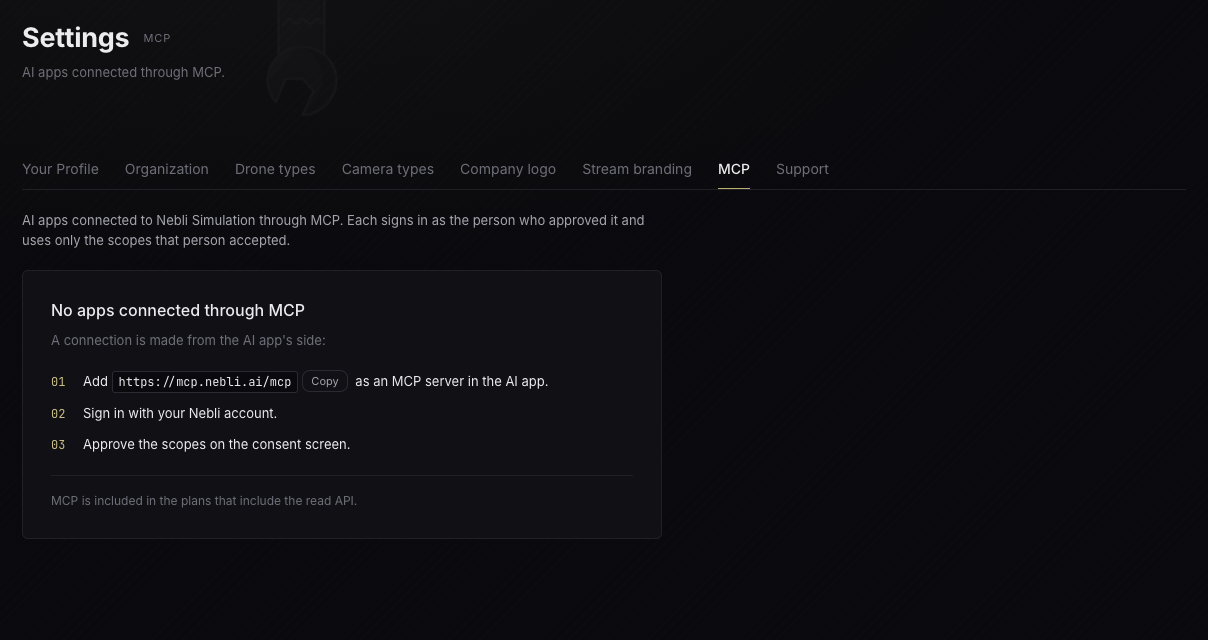
You connect from the app with Nebli's address and approve on Nebli's own screen. Each permission is a line you tick or leave unticked. Leave every change unticked and it can only read. There is no key to paste.
What the app does with what it reads, where it keeps it and for how long, is set by that app's terms and your agreement with its provider, not by Nebli.
How to connect Claude, step by step
Running drones on Fleet and want to try it on your own fleet? Write to us at hello@nebli.ai.
Claude is a product of Anthropic. Nebli has no affiliation with Anthropic.
We and our providers use cookies, only if you agree, to measure how our site is used and how our ads perform, and to show our ads to people who have visited our site. You can change your choice any time in Cookie settings.
Choose which cookies we may use. Necessary cookies are always on; the others stay off unless you switch them on. You can change your choice at any time.
Keep the site working and remember your choice.
Keep the site working and secure, and remember your cookie choice. They do not track you.
Cookies: nb_consent (your cookie choice, 12 months); nb_cc (your country, so we know whether to ask, 1 day).
Measure how the site is used, including session recordings.
Google Analytics 4 (Google) and PostHog (PostHog, Inc.) count visits and record which pages are viewed and how the site is used, including session recordings kept for 30 days, so we can improve it. Data is sent to the United States. Cookies: _ga, _ga_* (up to 2 years); ph_* (up to 1 year).
Measure which of our ads bring sign-ups, and show our ads to people who visited our site.
Google Ads, loaded through Google Tag Manager (Google), and our own campaign cookie measure which of our ads and campaign links lead to visits and sign-ups. Google Ads is also used to show our ads to people who have visited our site. We do not use them to show you other companies' ads. Data is sent to the United States. Cookies: _gcl_* (up to 90 days); hover_attr (up to 90 days).