Something moves at the fence line, and you see it in the drone's video. You have the picture. What you need next is the place: where is that, and who should go? Until now, that meant a second window and working it out by eye.
Split View puts the two together. Pick one drone, and its live video sits on one side of the screen with a map on the other, centred on the drone and following it as it flies. It is in your dashboard under Monitor › Split View, on every plan.
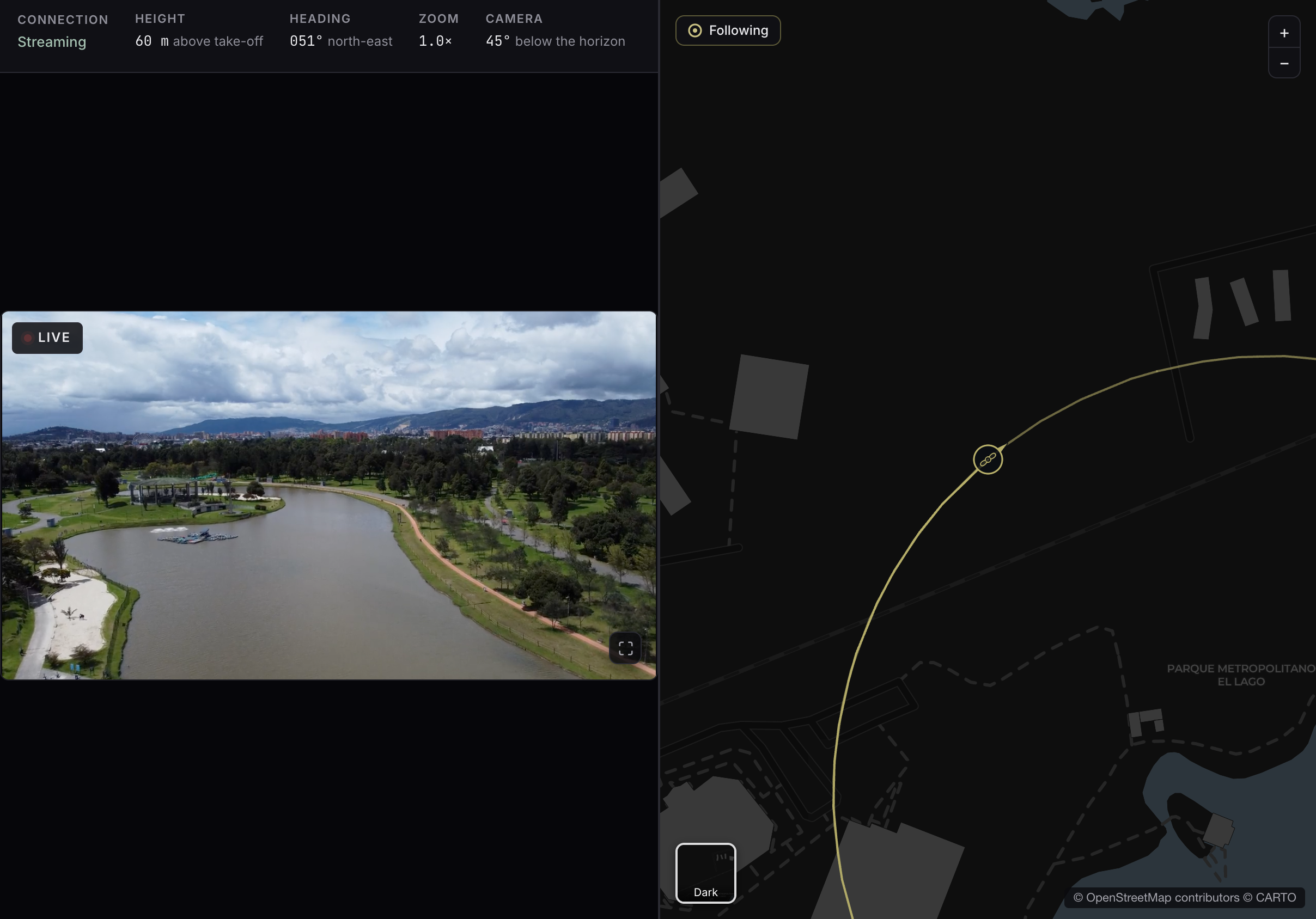
The video is large, not one tile in a wall. Over it, a bar shows the drone's height above take-off, its heading, the zoom and the camera angle. On the map you see its marker, which way it is heading, and the trail of where it has flown.
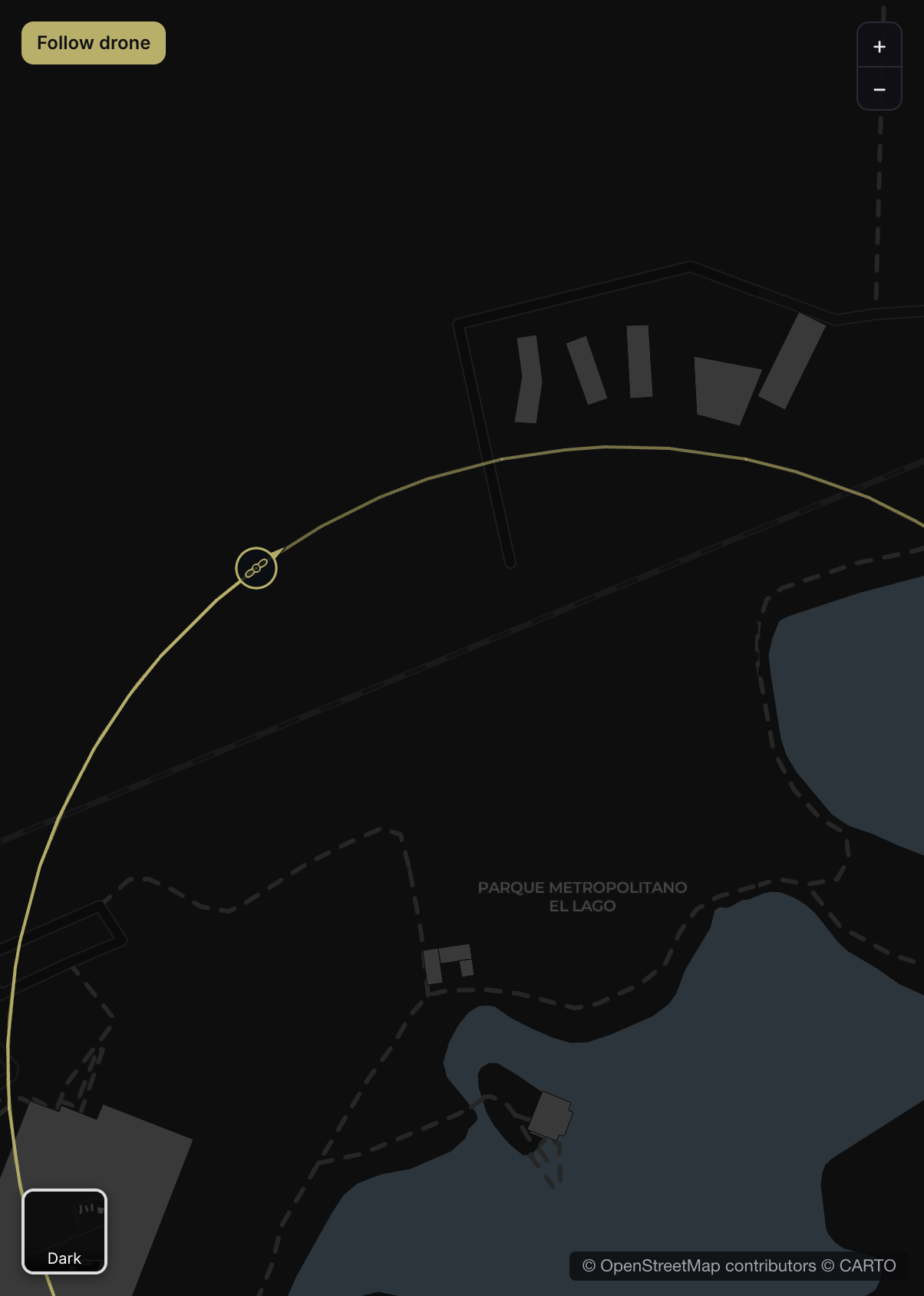
Drag the map to look at a gate or a road, and it stops following the drone. When you want it back, press Follow drone and the map returns to it.
The dashboard's top bar lists the drones you can see. Pick another, and the map moves to it while you stay in Split View.
Make room for what matters. In a wide window, drag the divider to give the video or the map more of the screen, and pick the basemap you work best with. Split View remembers the split.
Where you already have the right to control the drone, you take control from the bar over the video: Take control on a DJI drone, or the keyboard and gamepad buttons on a relay drone.
If the drone's position stops arriving, the map says how many seconds ago it last reported and keeps showing that last place. If the video stops, the player says there is no stream right now. Neither one says the drone is gone.
Questions about your own setup? Write to us at hello@nebli.ai.
We and our providers use cookies, only if you agree, to measure how our site is used and how our ads perform, and to show our ads to people who have visited our site. You can change your choice any time in Cookie settings.
Choose which cookies we may use. Necessary cookies are always on; the others stay off unless you switch them on. You can change your choice at any time.
Keep the site working and remember your choice.
Keep the site working and secure, and remember your cookie choice. They do not track you.
Cookies: nb_consent (your cookie choice, 12 months); nb_cc (your country, so we know whether to ask, 1 day).
Measure how the site is used, including session recordings.
Google Analytics 4 (Google) and PostHog (PostHog, Inc.) count visits and record which pages are viewed and how the site is used, including session recordings kept for 30 days, so we can improve it. Data is sent to the United States. Cookies: _ga, _ga_* (up to 2 years); ph_* (up to 1 year).
Measure which of our ads bring sign-ups, and show our ads to people who visited our site.
Google Ads, loaded through Google Tag Manager (Google), and our own campaign cookie measure which of our ads and campaign links lead to visits and sign-ups. Google Ads is also used to show our ads to people who have visited our site. We do not use them to show you other companies' ads. Data is sent to the United States. Cookies: _gcl_* (up to 90 days); hover_attr (up to 90 days).