Before you start
- Plan: Enterprise, or a flight-control trial on your organization. On any other plan, the card says "Turning the light on from the dashboard comes with the Enterprise plan." and links to the plans.
- Drone: a DJI Matrice 4E or 4T, added with controller sign-in in DJI Pilot 2, with DJI's AL1 spotlight fitted.
- Your role: Operator or Team Admin on a team that has the drone, the drone's Tenant Admin, or an Org Admin. These are the people who may take control of a drone.
Find the card
Open the drone's live page. The Spotlight card shows under the Speaker card. A Viewer, or anyone on a shared link, does not see it.
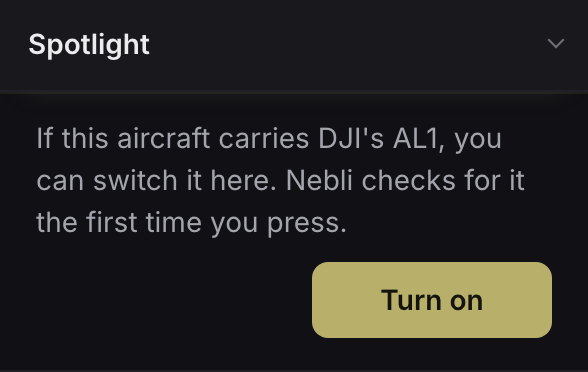
Until Nebli has checked for a light, the card says "If this aircraft carries DJI's AL1, you can switch it here. Nebli checks for it the first time you press." and offers only Turn on. Your first confirmed change checks for the light and makes the change.
Take control
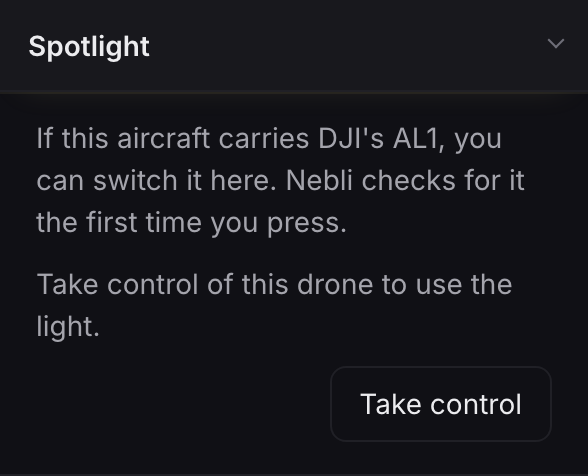
You change the light while you hold control of the drone. Until then the card says "Take control of this drone to use the light." Press Take control. The request shows on the remote controller, which hands control over in about 10 seconds unless the pilot declines.
Confirm the step
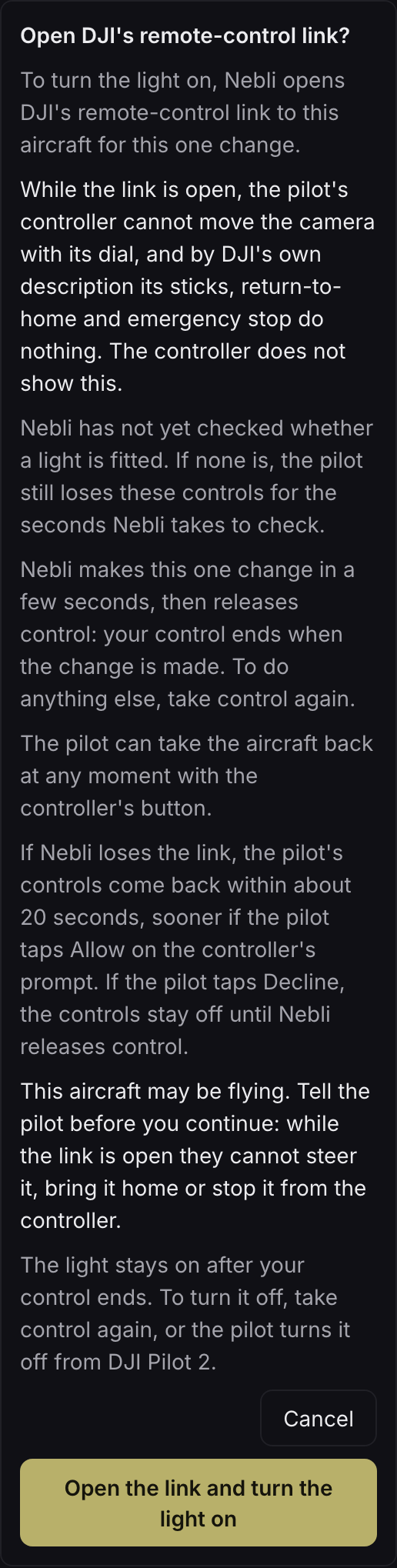
Press Turn on. Before anything is sent, the card asks: "Open DJI's remote-control link?" The step says, every time:
- What it is for: "To turn the light on, Nebli opens DJI's remote-control link to this aircraft for this one change."
- What the pilot loses: "While the link is open, the pilot's controller cannot move the camera with its dial, and by DJI's own description its sticks, return-to-home and emergency stop do nothing. The controller does not show this."
- Before Nebli has checked the light: "Nebli has not yet checked whether a light is fitted. If none is, the pilot still loses these controls for the seconds Nebli takes to check."
- When control ends: "Nebli makes this one change in a few seconds, then releases control: your control ends when the change is made. To do anything else, take control again."
- The pilot's take-back: "The pilot can take the aircraft back at any moment with the controller's button."
- If Nebli fails: "If Nebli loses the link, the pilot's controls come back within about 20 seconds, sooner if the pilot taps Allow on the controller's prompt. If the pilot taps Decline, the controls stay off until Nebli releases control."
- If the aircraft may be flying: "This aircraft may be flying. Tell the pilot before you continue: while the link is open they cannot steer it, bring it home or stop it from the controller."
- On the step that turns the light on: "The light stays on after your control ends. To turn it off, take control again, or the pilot turns it off from DJI Pilot 2."
Press Open the link and turn the light on to send it, or Cancel. Turning the light off works the same way. To set the brightness, choose it first (0 to 100%); the step then reads "set the brightness to 80%", a step of its own.
The card also shows whether the light follows the camera. That is the light's own setting, and the card does not change it.
After the change
Control ends when the change is made. The card then shows the light as it was read while the link was open, for example "On, 80%, read at 21:14 while the link was open. Nebli cannot see the light now." To change it again, take control again and confirm a new step.
When the light does not change
| The card says | What it means |
|---|---|
| The aircraft's controller did not accept the command (code …) at 21:14. | The aircraft's controller refused the link or the change. The code is the aircraft's own. |
| No spotlight answered on this aircraft when checked at 21:14. | The aircraft answered, without a light. |
| The light did not answer this time, so nothing changed. Nebli closed the link. You can try again. | No answer came from the light while the link was open. |
| DJI's remote-control link cannot be opened right now. | The link is not available. Nothing was sent. |
| This confirmation can no longer be used. Press the button again to see the step. | The step waited too long. Press the button again. |
After a refusal, or after the aircraft answers without a light, the card stays quiet: one line and Check again, until the aircraft next comes online after being off. Check again opens the full step.
Nebli records each light change with the person and the time.
What the spotlight does not do
- Nothing turns on by itself. A detection never turns the light on; a person confirms every change.
- One change per step. Each change opens the link once and ends your control.
The operator is responsible for following local aviation, noise and privacy rules when flying at night or near people and using a spotlight.